Why structured cabling matters for your office
Structured cabling is the permanent wiring that connects desks, Wi-Fi access points, cameras, phones and printers back to your network racks. It sits inside walls, ceilings and floor boxes, and it is expected to outlast several generations of switches and computers. Getting it right once is far cheaper than opening ceilings later.
A structured system follows a standard layout. Each outlet has its own cable that runs back to a patch panel in a rack, and short patch cords connect the panel to the switch. This makes moves and changes quick, keeps faults easy to trace, and lets you upgrade equipment without touching the cables in the building.
Cat6 vs Cat6A: what is the real difference?
Both are twisted-pair copper cables with RJ45 connections, and both support up to 100 metres per channel, normally 90 metres of fixed cable plus up to 10 metres of patch cords. The differences are in bandwidth, speed and physical size.
- Cat6 is rated to 250 MHz. It supports 1 Gbps comfortably over the full 100 metres and is well suited to standard desks, phones and most cameras. It also supports 2.5 Gbps and 5 Gbps multi-gigabit links, which many newer Wi-Fi access points use. It can carry 10 Gbps only over shorter distances, usually quoted as up to about 55 metres in good conditions.
- Cat6A is rated to 500 MHz and supports 10 Gbps over the full 100 metres. It handles heat from high-power PoE better and resists interference from neighbouring cables. The trade-off is that it is thicker, stiffer, needs a larger bend radius and fills trays and conduits faster.
For many small and medium offices, good quality Cat6 is still a sensible choice. Cat6A makes more sense when you are fitting out a new floor you expect to occupy for many years, when you plan Wi-Fi 6E or Wi-Fi 7 access points, or when you will power many devices over the cable. Whatever you pick, use solid copper cable from a known brand. Copper-clad aluminium cable is cheaper, but it does not meet the standards and performs poorly with PoE.
Where fibre fits in an office network
Fibre is not usually run to every desk. It is used where copper reaches its limits:
- Backbone links between the main server room and floor or building racks.
- Runs longer than 100 metres, such as warehouses, factories, car parks and between buildings.
- Areas with heavy electrical interference, because fibre is immune to it.
- Links that need higher speeds between core switches and servers.
Multimode fibre such as OM3 or OM4 is common inside buildings for shorter backbone runs. Single-mode fibre such as OS2 covers much longer distances and is usually chosen between buildings or when you want maximum headroom for future speeds. Always install spare fibre cores, because adding them later is costly.
Planning for PoE devices
Power over Ethernet sends power and data on the same cable, so cameras, access points, intercoms, access control readers and IP phones need no local power socket. The main standards are IEEE 802.3af, 802.3at (PoE+) and 802.3bt, which supports the highest power levels for devices such as PTZ cameras, displays and some lighting.
PoE affects cabling design in three ways. Large bundles of powered cables generate heat, which lowers performance, so avoid oversized tight bundles. Every PoE device must be within the 100 metre limit from the switch. And your switches need enough total power budget for every device you plan to connect. If you are also installing cameras, our CCTV installation guide explains how camera positions affect cable routes.
Racks, patch panels, labelling and room to grow
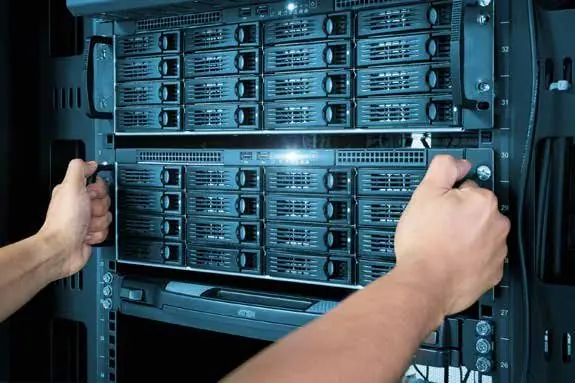
The rack is where a tidy installation shows. A well-built rack has patch panels with clear port numbers, horizontal and vertical cable managers, short patch cords of the right length, a power distribution unit, and space for a UPS. Server rooms also need ventilation or cooling, because switches and servers in a closed cupboard can overheat in a UAE summer.
Labelling should follow a consistent scheme, for example floor, rack, panel and port. Every outlet, every cable at both ends and every patch panel port should carry the same label, so anyone can trace a link in seconds. The TIA-606 standard provides a recognised framework for this.
Plan for growth from the start:
- Install more outlets per desk and meeting room than you need today.
- Leave spare ports on patch panels and spare space in the rack.
- Choose containment, trays and conduits with spare capacity for future cables.
- Leave a neat service loop at each end so cables can be re-terminated.
Testing, certification and documentation
A link that shows a green light on a switch is not proof that it was installed correctly. Every copper link should be tested with a certification tester against the relevant TIA or ISO/IEC standard for its category. The test checks wiremap, length, insertion loss, crosstalk and return loss. Fibre links should be tested for loss, and longer runs can be checked with an OTDR.
At handover you should receive the test results for every link, as-built drawings showing outlet positions and routes, the labelling scheme, and rack layouts. Keep these documents safe. They make future troubleshooting and expansion much easier, and they help when you hand the building over to a new tenant or contractor.
Common structured cabling mistakes to avoid
- Running data cables tightly alongside power cables, which causes interference.
- Exceeding the 100 metre channel limit, especially to cameras and outdoor devices.
- Untwisting pairs too far at the termination, or pulling cables too hard during installation.
- Mixing categories, for example Cat6A cable with Cat6 jacks, and expecting Cat6A performance.
- Skipping testing and labelling to save time, then paying for it during the first fault.
- Putting the rack in a hot, unventilated cupboard with no UPS.
Frequently asked questions
Is Cat7 or Cat8 better for an office?
Not usually. Cat7 is not recognised in the TIA standards and uses different connectors in its full form. Cat8 is designed for very short links inside data centres. For office floors, Cat6 or Cat6A is the practical choice.
Can you rewire an office that is already occupied?
Yes. Work can be planned in phases, out of hours or at weekends, with each area switched over in a short window so staff keep working.
Do Wi-Fi access points need special cabling?
Modern access points often use multi-gigabit ports and higher PoE power. Cat6 handles 2.5 Gbps and 5 Gbps links, while Cat6A gives the most headroom for future models. Plan ceiling outlets for them as part of your network and Wi-Fi design.
Good structured cabling is invisible when it is done well, and costly when it is not. If you are fitting out a new office or fixing an untidy one, talk to maxclick to arrange a free site visit in Dubai, a clear cabling plan and a fixed written quote, with tidy, concealed and labelled work and full documentation at handover.