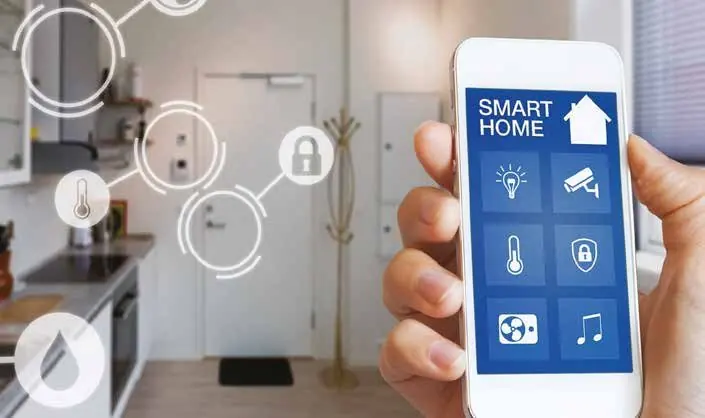
A smart home should make daily life simpler: lights that set the mood with one tap, curtains that close in the afternoon heat, an AC that cools the house before you arrive, and a single place to see who is at the door. The challenge is knowing where to begin, because there are many products, standards and approaches. This guide helps you decide what to automate first, whether to go wireless or wired, and how to keep everything in one app.
Begin with how you live, not with gadgets
Start by listing small daily frustrations. Do you walk around switching off lights at night? Do west-facing rooms overheat in the afternoon? Do you want to check the house while travelling? Each answer points to a feature that adds real value. It also helps to decide early whether you are planning a new build or major renovation, or adding features to a finished home, because that shapes which technology makes sense.
Think about the people who will use the system too. Family members, older relatives and household staff all need controls that are easy to understand. A good smart home still works from normal wall switches.
Where most UAE homes start
Lighting
Lighting is the most common first step. Smart switches or dimmers let you create scenes such as "Welcome", "Dinner" or "Night", control lights from your phone and set schedules for outdoor lighting. Smart switches usually work better than smart bulbs in villas, because the wall switch keeps working for everyone.
Curtains and blinds
Motorised curtains and blinds are especially useful in the UAE. Closing them automatically during the hottest hours helps keep rooms cooler and protects furniture from sunlight. They can also open gently in the morning or close with a single "Night" scene.
Air conditioning
AC control depends on your system. Split units can often be controlled with smart infrared controllers, while ducted and VRF systems usually need smart thermostats or a gateway that connects to the AC's own control system. Schedules and remote control let you cool rooms only when they are used.
Security
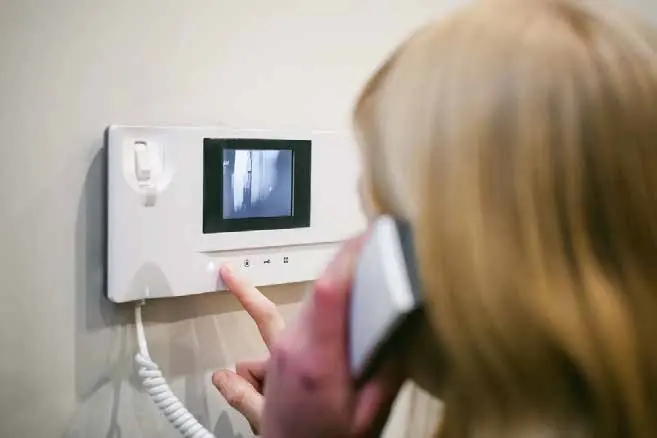
Cameras, video intercoms, smart locks and alarm sensors can all appear in the same app as your lights. You can see who is at the gate, receive alerts and let in a delivery while you are away. For camera planning, see our CCTV and video surveillance services.
Voice control
Voice assistants such as Amazon Alexa, Google Assistant and Apple Siri can trigger scenes and devices. Check that the assistant you prefer supports your devices, and the language you want to use, before you buy.
Wireless retrofit or wired KNX?
This is the biggest decision, and it depends mostly on your stage of construction.
- Wireless retrofit: devices connect by radio, so there is little or no new cabling. It suits finished homes and apartments, can be installed room by room and is easier to start small.
- Wired KNX: KNX is an open, international standard for building automation. Devices from many manufacturers connect over a dedicated bus cable and work together. It is very reliable and suits new builds and full renovations, but the cabling has to be planned before walls and ceilings are closed.
Some homes use both: KNX for the core lighting, curtains and AC, and wireless devices for later additions.
Zigbee, Z-Wave, Wi-Fi and Matter explained
Wireless smart devices use different "languages", called protocols. Knowing the basics helps you avoid devices that cannot talk to each other.
- Zigbee: a low-power mesh protocol on the 2.4 GHz band. Devices relay signals to each other, and a hub connects them to your network.
- Z-Wave: another low-power mesh protocol that uses sub-GHz frequencies, which helps it pass through walls. Devices must match the frequency used in your region.
- Wi-Fi: simple for a few devices, but many Wi-Fi gadgets add load to your home network.
- Matter: an industry standard designed so devices from different brands work together across major platforms such as Apple Home, Google Home and Amazon Alexa. It runs over Wi-Fi, Ethernet and Thread, a low-power mesh network.
Whatever you choose, a strong home network is the foundation. If your Wi-Fi already struggles, read our guide to fixing Wi-Fi dead zones in villas first.
Keep everything in one app
The most common complaint about smart homes is having five apps for five brands. Plan for one main control platform from the start. That might be a professional controller or KNX visualisation, or a consumer platform that supports Matter. Ask your installer how lights, curtains, AC, cameras and intercom will appear together, who can access what, and what still works if the internet goes down. Local control, where devices respond without relying on cloud servers, is a strong advantage.
What drives the cost of a smart home?
Every home is different, so a fixed price list is rarely useful. These are the main factors that shape a quote:
- Wired KNX or wireless retrofit, and how much cabling is needed.
- The number of rooms and circuits you automate.
- Motorised curtains and blinds, and the size of the windows.
- Your AC type and whether a gateway or thermostat is needed.
- Security integration such as cameras, intercom and smart locks.
- The control platform, wall panels and any custom programming.
- Upgrades to the home network to support everything reliably.
Starting with one or two systems and expanding later is a sensible approach, as long as the foundation is planned for growth.
Frequently asked questions
Can I make my existing home smart without breaking walls?
Yes. Wireless smart switches, curtain motors, AC controllers and sensors can be added to most finished homes with little disruption.
What happens if the internet goes down?
A well-designed system keeps working locally. Wall switches, scenes and schedules should still run, though remote access from outside the home will pause until the connection returns.
Is KNX only for large villas?
No. KNX can be used in apartments too, but it brings the most value when it is planned into a new build or a full renovation.
Start your smart home with a clear plan
The best smart homes are planned around the people who live in them. Explore our smart home automation services, or talk to maxclick to arrange a free site visit in Dubai and a written proposal for your home.