If video calls drop in the bedroom, the TV buffers in the majlis and the garden has no signal at all, you are not alone. Many Dubai villas are built in a way that blocks Wi-Fi, and a single router supplied by the internet provider was never designed to cover several floors. The good news is that dead zones can be fixed properly. This guide explains why they happen and how to choose between mesh systems, ceiling access points and wired backhaul.
Why villas in Dubai have Wi-Fi dead zones
Wi-Fi is radio, and radio weakens every time it passes through a material. Villas in the UAE tend to combine several things that make this worse:
- Reinforced concrete and block walls: dense walls and slabs absorb a large share of the signal, and steel reinforcement adds to the loss.
- Multiple floors: a router on the ground floor has to push signal through one or more concrete slabs to reach bedrooms upstairs.
- Large footprints: long distances between the router and far rooms, the majlis, the maid's room or the roof terrace.
- Mirrors, glass and metal: mirrored wardrobes, tinted glass and metal kitchen units reflect or block signal.
- Router position: the provider's router often sits in a cabinet or near the entrance where the fibre arrives, not in the middle of the house.
Higher frequencies carry more data but travel less far through walls. The 5 GHz band is faster than 2.4 GHz but drops off more quickly, and 6 GHz drops off faster still. That is why one powerful router rarely solves the problem.
Start with a Wi-Fi survey
Before buying equipment, find out where the signal actually fails. A survey measures signal strength and interference room by room and floor by floor, and checks where network cables already run. It also looks at how you use each space: a home office needs reliable upload speed, a living room needs capacity for streaming, and a garden may only need basic coverage.
The result should be a simple plan showing how many access points you need and where they go. This avoids buying too much equipment, or the wrong kind.
Mesh, ceiling access points or wired backhaul?
Wireless mesh systems
A mesh kit uses several units that talk to each other and create one network name across the house. They are quick to install and need no new cables. The drawback is that, without cables, the units use part of their wireless capacity to pass traffic between themselves. Through concrete slabs that link can be weak, so the far unit may show full bars but deliver slow speeds.
Ceiling-mounted access points
Professional access points, from brands such as Ubiquiti or Cisco, mount on ceilings or walls, look discreet and are managed as one system. Placed correctly, often one per floor or per wing, they give even coverage and handle many devices at once. They are powered over the network cable using PoE, so there is no adaptor next to each one.
Wired backhaul
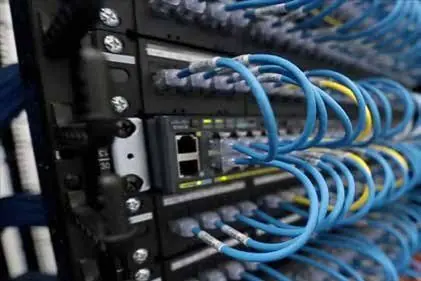
Backhaul is the link that carries traffic from each access point back to the main router. A wired backhaul uses a Cat6 or Cat6A cable for that link, so wireless capacity is kept entirely for your devices. Many mesh systems also support wired backhaul, which combines simple setup with much better performance.
For most villas, the most reliable result is access points, or mesh units, connected by cable to a central switch. If your villa has no network cabling, a structured cabling plan can often route cables through existing conduits or false ceilings with little disruption.
Is Wi-Fi 6 or Wi-Fi 6E worth it?
Wi-Fi 6 (802.11ax) handles busy networks better than older standards. It serves many devices at the same time more efficiently and helps battery-powered devices save power. In a family villa with phones, laptops, TVs, cameras and smart home devices, that makes a real difference.
Wi-Fi 6E adds the 6 GHz band, which is usually less crowded and offers wide channels for very fast speeds at short range. Because 6 GHz travels less far through walls, it works best with an access point in or near the room. To benefit, both the access point and your devices must support 6E, and the equipment must be approved for use in the UAE. For many homes, a well-designed Wi-Fi 6 system already solves the problem, with 6E as a useful extra in key rooms.
Set up a guest network and separate your devices
A good villa network does more than reach every room. It also keeps things organised and secure:
- Guest network: visitors get internet access without seeing your computers, cameras or storage.
- Smart home and cameras: placing these on their own network segment limits risk if one device is compromised.
- Staff network: optional, with its own password you can change without affecting the family.
- Strong security: WPA3 where devices support it, updated firmware and a changed admin password.
Managed systems let you see connected devices, restart access points remotely and adjust settings from an app, which makes support much easier.
Don't forget the garden, roof and outbuildings
Outdoor areas need outdoor-rated access points with suitable protection against dust, heat and water. A garden, pool area or roof terrace can be covered from a carefully placed outdoor unit, and a separate majlis or guest house can be connected with a cable or a point-to-point wireless link. If you plan to add CCTV or smart home devices outside, design coverage for them at the same time. Our guide to starting a smart home in the UAE explains why a strong network comes first.
Frequently asked questions
Will a more powerful router fix my dead zones?
Rarely. A stronger router can push signal further, but your phone or laptop still has to send data back, and walls block that too. Several well-placed access points work better than one powerful router.
Can I fix dead zones without new cables?
Yes, a wireless mesh system or powerline adaptors can help, but results depend on the building. Where speed and stability matter, cabled access points are the more reliable option.
Will I have one Wi-Fi name for the whole villa?
Yes. With mesh or managed access points, you have one network name and password, and devices move between access points as you walk around.
Get reliable Wi-Fi in every room
Fixing villa Wi-Fi starts with understanding the building. See our networks and Wi-Fi services, or contact maxclick to arrange a Wi-Fi survey and a clear written plan for your home.