What an access control and time attendance system does
An access control system decides who can open which door, and when. A time attendance system records when staff arrive and leave. In many UAE offices, warehouses, clinics and showrooms, the two run on the same hardware: the reader that unlocks the main door also logs the clock-in.
The building blocks are simple. You need a reader at each controlled door, a lock such as an electric strike, magnetic lock or motorised gate, a door controller, an exit button, a door contact that knows when the door is open, and software that holds users, schedules and logs. This guide walks through each choice in order.
Fingerprint, face, card or mobile: which credential fits?
Every credential has trade-offs in speed, cost, hygiene and how easily it can be shared or copied.
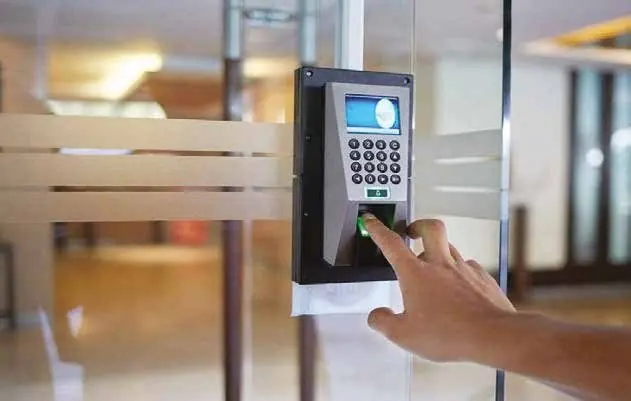
- Fingerprint: low cost per user and nothing to lose or lend. Readings can be less reliable for people with worn or dry fingertips, which is common in workshops and warehouses, and dust on the sensor slows the queue at shift change.
- Face recognition: touchless and fast at busy entrances. It is usually the strongest option for attendance because one person cannot easily clock in for another. Choose terminals with liveness detection so a printed photo or a phone screen cannot fool them, and test performance against strong backlight at glass entrances.
- Cards and key fobs: quick, familiar and easy to issue to visitors and contractors. Older 125 kHz proximity cards can be copied with cheap tools. Encrypted 13.56 MHz cards such as MIFARE DESFire are much harder to clone. Cards can be lent, so pair them with a PIN or a camera on sensitive doors.
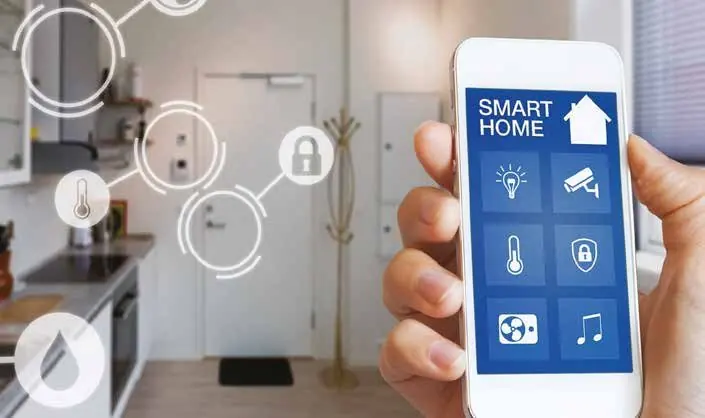
- Mobile credentials: the phone becomes the key, using Bluetooth or NFC. You can issue and revoke access remotely, which suits companies with several branches or shared offices. Plan an alternative for staff without a compatible phone and for flat batteries.
Most sites mix credentials. A common pattern is face recognition at the main entrance for attendance, cards on internal doors, and two-factor checks such as card plus fingerprint or PIN for server rooms, cash offices and stores.
Setting permissions, schedules and door rules
The software is where the system earns its value. Instead of managing each person one by one, create access groups such as Management, Finance, Warehouse, IT and Cleaning, then attach doors and time schedules to each group. When someone joins or changes role, you move them between groups.
Useful rules to plan before installation include:
- Time schedules per group, including weekends, public holidays and reduced hours during Ramadan.
- Visitor and contractor passes that expire automatically at the end of the day or the job.
- Anti-passback, so a card used to enter cannot be passed back to let a second person in.
- Door-held-open and forced-door alarms that notify security or a manager.
- Immediate revocation when an employee leaves, from one screen, across every door and branch.
Keep the number of administrators small and give each one a personal login, so every change in the audit trail has a name against it.
Time attendance reports that HR and payroll can actually use
Raw punch logs are not useful to HR. What matters is that the software turns them into hours worked, late arrivals, early departures, absences and overtime according to your own rules. Before the system goes live, agree with HR on:
- Shift types: fixed, flexible, split shifts and night shifts that cross midnight.
- Grace periods for late arrival, break deductions and how overtime is calculated.
- How missing punches and manual corrections are approved, with a record of who changed what.
- The export format your payroll or HR software expects, whether that is an Excel or CSV file or a direct integration.
If you have several branches, terminals can report to one central server or cloud platform so HR sees every location in a single report. Ask to see sample reports from the actual software during the quote stage, not just a brochure.
Integration with CCTV, alarms, fire systems and turnstiles
CCTV
When access control is linked to your CCTV system, every access event can be matched with video. A denied card or a forced door can bookmark the recording or pop up the camera view for the guard, which makes investigations much faster.
Intruder and fire alarms
The system can arm the intruder alarm when the last person leaves and disarm it when an authorised user arrives. On escape routes, locks must release when the fire alarm activates. This is normally done with fail-safe locks that open when power is cut and a direct link from the fire alarm panel. Your design should follow local civil defence requirements for means of escape.
Turnstiles, speed gates and barriers
Where many people pass through one point, a single door is not enough. Speed gates and flap barriers suit office lobbies, tripod turnstiles suit factories and labour entrances, and full-height turnstiles suit site perimeters. Vehicle barriers can use long-range tags or number plate recognition. Always include a wider lane for wheelchairs and deliveries, and an emergency release.
Handling biometric and attendance data responsibly
Fingerprints, face templates and attendance logs are personal data. The UAE has a federal personal data protection law, and free zones such as DIFC and ADGM have their own data protection rules. The details of what applies to you are a question for your legal adviser, but some good practices apply almost everywhere:
- Tell staff what is collected, why, and who can see it.
- Prefer systems that store encrypted templates rather than raw images of fingerprints or faces.
- Restrict admin rights, use strong passwords and keep firmware and software updated.
- Set a retention period in your internal policy and delete users and their data when they leave.
- Keep the server or cloud account secured and backed up, and avoid exposing devices directly to the internet.
Frequently asked questions
Can one system cover several branches in different emirates?
Yes. Network-connected controllers and terminals can report to one central platform, so you manage users and see attendance for Dubai, Abu Dhabi, Sharjah or any other location from one place. Each site keeps working locally if the internet connection drops, then syncs when it returns.
What happens to the doors during a power cut?
Controllers and locks are usually supported by a backup battery. You also choose the behaviour of each lock: fail-safe locks open without power, which suits escape routes, while fail-secure locks stay locked, which suits stores and server rooms.
Is face recognition better than fingerprint for attendance?
For most busy workplaces, face recognition is faster, touchless and harder to cheat. Fingerprint terminals remain a sensible, lower-cost choice for small offices where staff numbers are low and fingertips are in good condition.
A well-planned access control and time attendance system protects your premises and gives HR accurate data without extra paperwork. If you would like help choosing credentials, doors and reports for your site, contact the maxclick team to arrange a free site visit and needs assessment in Dubai and receive a fixed written quote.